Résumer le contenu avec:




Base de connaissances vs System Prompt : où placer chaque information ?
La réponse courte : le system prompt contrôle le comportement, la base de connaissances fournit le savoir, un outil d'appel récupère des données en temps réel depuis vos systèmes, et le constructeur de flux impose une séquence fixe. Ces quatre couches ne sont pas interchangeables. Si vous les mélangez, vous obtiendrez un agent qui répond plus lentement, coûte plus cher par appel que nécessaire et doit être entièrement retesté à chaque changement de tarif.
Nous observons sans cesse le même schéma chez les clients de Famulor. Une entreprise commence avec un system prompt propre et concis. Trois mois plus tard, il contient 40 réponses FAQ, la liste complète des prix, les horaires d'ouverture des trois sites et une liste de 60 variantes de produits. L'agent fonctionne toujours, mais il répond avec lenteur, suit moins bien la structure de la conversation et personne n'ose plus rien modifier.
Cet article vous propose une matrice de décision : quelle information appartient à quelle couche, pourquoi, et ce qu'il vous en coûte de vous tromper. Si vous débutez, il est utile de consulter d'abord l'agent vocal IA No-Code et les concepts fondamentaux dans la documentation.
Les quatre couches de contexte d'un agent vocal IA
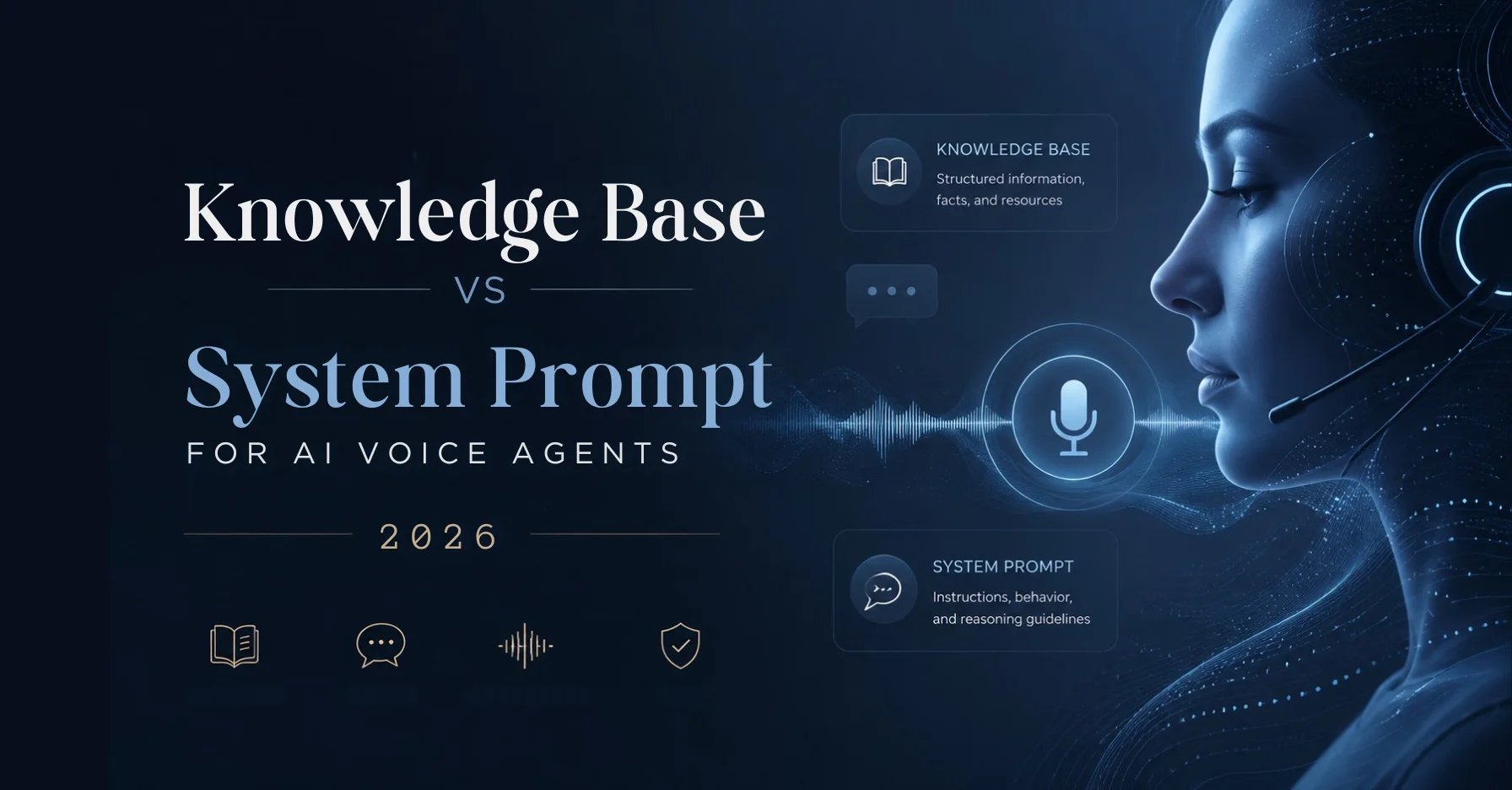
Tout agent vocal en production puise ses réponses dans quatre sources clairement identifiables. La différence décisive réside dans le moment où chaque information est chargée.
- System prompt : chargé intégralement à chaque appel et évalué tout au long de la conversation. Toujours actif, toujours déterministe, toujours facturé en jetons.
- Base de connaissances : récupérée uniquement lorsque le contexte conversationnel déclenche une recherche. Évolue vers de grands volumes de texte sans alourdir le prompt.
- Outil d'appel (mid-call tool) : appelle une API pendant la conversation pour obtenir des valeurs exactes et actuelles. La seule couche capable de calculer, trier et réécrire des données.
- Constructeur de flux : définit le cheminement de la conversation au lieu de le laisser au modèle. Pour les séquences où l'ordre n'est pas négociable.
Règle d'or : le prompt est le cerveau de votre agent, pas son encyclopédie. Tout ce qui façonne le comportement doit y figurer. Tout ce qui nécessite une simple consultation doit être placé à l'extérieur.
Quand le system prompt est le bon choix
Le system prompt est la fondation déterministe. Il est présent à chaque appel, peu importe ce que dit l'interlocuteur. C'est précisément pour cette raison que seules les choses qui doivent toujours s'appliquer y ont leur place.
À placer dans le system prompt :
- Rôle et ton : qui est l'agent, pour quelle entreprise il parle, quel est son ton. Un agent de réception pour un cabinet comptable ne sonne pas comme un agent sortant pour des installations solaires.
- Logique et séquençage de la conversation : salutations, ordre des questions de suivi, quand ouvrir et fermer l'échange.
- Garde-fous : ce que l'agent ne doit jamais faire. Pas de conseils juridiques, pas d'engagement tarifaire contraignant, pas de diagnostic par téléphone.
- Règles d'escalade : quand transférer à un humain, quand proposer un rappel.
- Réponses standards courtes et stables : trois à cinq objections quotidiennes qui doivent toujours recevoir la même réponse.
- Déclencheurs de logique structurée : quand chaque outil d'appel doit être invoqué et avec quels paramètres.
Concrètement : un cabinet dentaire avec six salles de soins indique dans le prompt que l'agent doit toujours demander l'urgence aux patients souffrants et transférer immédiatement les cas aigus à la réception. C'est du comportement. En revanche, les créneaux libres le jeudi ne figurent pas dans le prompt, mais proviennent du calendrier. Le guide du system prompt montre comment structurer un prompt proprement.
Quand une base de connaissances l'emporte
Une base de connaissances stocke des textes longs et non structurés, consultés uniquement lorsque la conversation l'exige. L'agent ne transporte pas en permanence 20 pages de documentation ; il récupère la section pertinente à la demande.
À placer dans la base de connaissances :
- Support et documentation produit : guides pratiques, dépannage, étapes de configuration.
- FAQ longues ou changeantes : tout ce qui dépasse une douzaine de questions, surtout si les équipes métier gèrent le contenu.
- Politiques et contrats : conditions de retour, garanties, avis de confidentialité où le libellé exact compte.
- Règles régionales ou spécifiques en prose : par exemple, des engagements de service différents par site, tant qu'aucun calcul n'est requis.
Le gain réel est organisationnel. La base de connaissances sépare le fond de la logique comportementale. Votre équipe de service peut mettre à jour une condition de garantie sans toucher au prompt et sans risquer de perturber le comportement conversationnel.
Les limites sont tout aussi claires. Une base de connaissances ne peut pas calculer, trier ou extraire de manière fiable des valeurs individuelles d'un tableau de prix. Et comme la récupération dépend du contexte, elle n'est pas totalement déterministe : deux conversations similaires peuvent aboutir à des passages légèrement différents. Pour des questions de savoir, c'est sans conséquence. Pour des chiffres contraignants, ça ne l'est pas.
Quand seul un outil d'appel fonctionne
Dès que l'agent a besoin d'une valeur exacte et actuelle ou doit modifier quelque chose dans un système externe, il n'y a pas d'alternative à l'outil d'appel. Il interroge une API pendant la conversation et reçoit une réponse précise.
Cas typiques :
- Données structurées dans des systèmes externes : champs CRM, statut de commande, durée de contrat, stock par succursale.
- Valeurs personnalisées en temps réel : solde impayé, prochain rendez-vous disponible, statut de livraison.
- Logique conditionnelle : si le type de client est entreprise et que le code postal est dans la zone de service, proposer l'option B.
- Opérations d'écriture : créer un prospect, réserver un rendez-vous, changer une adresse, ouvrir un ticket.
- Calculs et seuils : critères de qualification, remises sur volume, frais de déplacement.
Exemple dans l'artisanat : une entreprise de plomberie avec 14 techniciens vérifie à chaque appel d'urgence si le code postal est dans la zone de service et si un technicien est disponible aujourd'hui. Ce sont des valeurs réelles. Si vous résolvez cela avec une base de connaissances, l'agent promettra parfois une intervention impossible. L'implémentation technique est couverte par les outils d'appel personnalisés, et la connexion à vos logiciels existants passe par les intégrations Famulor.
Quand le constructeur de flux prend le contrôle
Le constructeur de flux est la quatrième couche et l'angle mort de la plupart des comparaisons. Il définit explicitement le cheminement de la conversation au lieu de le laisser au modèle de langage. C'est le choix judicieux dès que la séquence n'est pas négociable pour des raisons juridiques ou opérationnelles.
- Questions obligatoires : enregistrement du consentement, identification avant divulgation, vérification de l'âge.
- Saisie sous forme de formulaire : déclaration de sinistre, admission de patient, pré-qualification de candidat avec champs fixes.
- Branchements avec points de sortie clairs : trois types de demandes, trois conclusions différentes.
La différence avec le prompt : un prompt demande au modèle de suivre une séquence. Le constructeur de flux l'impose. Pour une question de consentement, ce n'est pas une différence de confort, mais de conformité.
La matrice de décision en un coup d'œil
| Critère | System prompt | Base de connaissances | Outil d'appel | Constructeur de flux |
|---|---|---|---|---|
| Type de contenu | Comportement, ton, règles | Prose longue, doc. | Données réelles structurées | Séquence et ordre |
| Moment de chargement | Toujours, à chaque appel | Contexte correspondant uniquement | Invocation d'outil uniquement | Pilote la conversation |
| Fraîcheur des données | Dernière édition du prompt | Dernière indexation | Temps réel | N/A |
| Coût jetons par appel | Élevé et constant | Faible, à la récupération | Faible, données réponse uniquement | Faible |
| Impact latence | Augmente le temps de traitement | Délai bref à la récupération | Dépend de votre API | Minimal |
| Déterminisme | Élevé | Moyen | Très élevé | Très élevé |
| Calcul et tri | Non | Non | Oui | Non |
| Réécriture possible | Non | Non | Oui | Via outils |
| Maintenu par | Propriétaire agent | Équipe métier | Équipe IT/Intégration | Propriétaire processus |
| Cas d'usage type | Règle d'escalade | Conditions garantie | Disponibilité rdv | Consentement |
Ce que coûte réellement une mauvaise couche
Le coût d'une mauvaise architecture de contexte se manifeste à trois niveaux, sans jamais apparaître sur une facture sous l'intitulé mauvaise décision.
Premièrement, les jetons. Le system prompt est traité à chaque appel. Un prompt qui passe de 800 à 6 000 mots rend chaque appel plus coûteux, que l'appelant ait besoin de ces informations ou non. Avec 40 appels par jour, vous payez ce supplément 40 fois, même si seuls deux appelants posent des questions sur les garanties. La facturation à l'usage est détaillée dans les documents de tarification à l'usage.
Deuxièmement, la latence. Au téléphone, l'attente est brutalement visible. Il n'y a pas de barre de chargement, seulement du silence. Plus le modèle traite de contexte pour chaque réponse, plus il met de temps à produire la première syllabe. Un prompt surchargé ralentit chaque réponse, alors qu'une récupération en base de connaissances ne retarde que la réponse où elle est nécessaire.
Troisièmement, l'effort de maintenance. C'est le poste le plus coûteux et le plus souvent négligé. Si les prix sont dans le prompt, chaque changement de tarif est une intervention dans la logique comportementale et nécessite un test complet. Si les prix proviennent d'un outil d'appel lisant votre système d'inventaire, un changement de prix est simplement un changement de prix.
Calculez pour votre situation comment le volume d'appels, le temps moyen de traitement et les coûts de personnel affectent votre rentabilité :
Estimez votre ROI en automatisant vos appels
Voyez combien vous pourriez économiser chaque mois grâce aux voice agents IA.
Résultat ROI
ROI 0%
Sans carte bancaire
Implémentation en quatre étapes
- Faites l'inventaire. Exportez votre system prompt actuel et étiquetez chaque paragraphe avec B pour comportement, K pour connaissance ou D pour donnée. Tout ce qui n'est pas B est candidat à une relocalisation.
- Sortez les connaissances. Déplacez tous les blocs K dans une base de connaissances et donnez-lui une description précise pour que l'agent sache quand la consulter. Une description vague est la raison la plus fréquente pour laquelle la récupération ne se déclenche jamais.
- Connectez les données. Pour chaque bloc D, vérifiez si une API existe. Les calendriers, CRM, inventaires et systèmes de tickets peuvent généralement être connectés via des intégrations existantes ou un outil d'appel personnalisé. Stockez ce que l'agent collecte dans des variables et transmettez-le sous forme structurée.
- Verrouillez les chemins obligatoires. Tout ce qui doit légalement se dérouler dans un ordre précis passe dans le constructeur de flux. Testez ensuite sur des enregistrements d'appels réels, pas sur des dialogues inventés.
Un bon objectif après le nettoyage : le system prompt tient sur deux à trois écrans et ne contient aucun chiffre susceptible de changer.
Erreurs courantes sur le terrain
- Prix dans le prompt. Le classique. Les prix changent, les prompts sont rarement mis à jour proprement, et l'agent cite des montants obsolètes avec assurance pendant des mois.
- Horaires d'ouverture dans le prompt. Fonctionne jusqu'au premier jour férié ou fermeture exceptionnelle. Les horaires sont des données, pas des règles comportementales.
- Base de connaissances pour les tableaux. Mettre des tableaux de prix et remises dans une base de connaissances produit des réponses plausibles mais incorrectement assemblées. Les tableaux doivent être derrière un outil.
- Description de la base de connaissances trop vague. Si l'agent ne sait pas ce que couvre la source, il ne l'interroge jamais et répond à partir de ses connaissances internes.
- Tout dans le constructeur de flux. L'extrême inverse. Scriptez chaque chemin et vous revenez à un menu téléphonique, avec une meilleure voix. Utilisez les chemins fixes uniquement là où ils sont réellement requis.
- Pas de règle de repli. Si un outil ne répond pas ou si la base de connaissances ne trouve rien, l'agent a besoin d'une instruction claire : admettre l'absence d'info, proposer un rappel, ne pas deviner.
Trois exemples sectoriels
Cabinet comptable avec environ 400 clients. Le prompt porte le ton, la règle de non-conseil fiscal par téléphone et l'escalade vers le gestionnaire de dossier. La base de connaissances contient les explications sur les délais et les documents requis par type de dossier. L'outil d'appel fournit le statut client et les créneaux de consultation. Le constructeur de flux gère l'identification avant toute divulgation.
Boutique Shopify avec environ 5 000 commandes par mois. Le prompt régit le ton et la limite des décisions commerciales. La base de connaissances contient la politique de retour et les instructions. L'outil d'appel récupère le statut de commande et le suivi. Le constructeur de flux guide les appelants dans l'enregistrement des retours pour ne manquer aucun champ obligatoire.
Concessionnaire automobile avec atelier et ventes. Le prompt oriente les appelants vers le service ou la vente et définit quand passer la main à un conseiller. La base de connaissances contient les intervalles d'entretien et la portée de la garantie. L'outil d'appel fournit les créneaux d'atelier et la disponibilité des véhicules. Plus de configurations sectorielles sont listées sous industries.
Conclusion
L'architecture de contexte n'est pas un détail. C'est la différence entre un agent qui dure trois mois et un autre qui évolue sur trois ans. La règle est simple : comportement dans le prompt, savoir dans la base de connaissances, données derrière un outil, séquences obligatoires dans le constructeur de flux. Des frontières claires entre ces couches rendent votre agent plus rapide, moins cher et surtout maintenable par ceux qui possèdent le contenu.
Si vous nettoyez un agent existant, commencez par l'inventaire : exportez le prompt, étiquetez chaque paragraphe B, K ou D, et déplacez tout ce qui n'est pas B. Dans la plupart des cas, le prompt diminue de moitié. Avec Famulor, vous construisez les quatre couches sans code dans la même interface et gardez le contrôle total sur les coûts, la latence et la maintenance. Un aperçu des plans est disponible sur la page de tarification.
Essayez notre Assistant IA
Découvrez à quel point notre assistant téléphonique IA sonne naturel.
Entrez vos coordonnées et recevez un appel de notre agent IA en quelques secondes.
L'agent est formé pour parler des services Famulor et prendre des rendez-vous.

Agent IA de démo
Représentant Famulor
FAQ
Qu'est-ce qui appartient au system prompt et qu'est-ce qui n'y appartient pas ?
Le prompt doit contenir le rôle, le ton, la logique de conversation, les garde-fous et les règles d'escalade. Il ne doit pas contenir les prix, les horaires, les FAQ longues ou tout ce qui peut changer sans que le comportement doive changer.
Quand ai-je besoin d'une base de connaissances plutôt que d'un prompt plus long ?
Dès que vous avez plus d'une douzaine de réponses FAQ, ou que vous intégrez du texte maintenu par une équipe métier. La base de connaissances n'est sollicitée qu'en cas de besoin et ne surcharge donc pas chaque appel.
Pourquoi ne pas mettre les prix dans la base de connaissances ?
Parce qu'une base de connaissances trouve du texte mais ne calcule pas et ne peut pas extraire de manière fiable des cellules individuelles de tableaux. Les prix, paliers et disponibilités doivent être derrière un outil d'appel avec une réponse API exacte.
Une base de connaissances augmente-t-elle la latence de mon agent vocal ?
Uniquement sur les réponses où elle est réellement sollicitée. Un system prompt surchargé, en revanche, ralentit chaque réponse tout au long de la conversation.
Quelle est la différence entre le constructeur de flux et le system prompt ?
Le prompt demande au modèle de suivre une séquence. Le constructeur de flux l'impose techniquement. Pour le consentement, l'identification et les champs obligatoires, cette différence est décisive.
Quelle taille peut avoir un system prompt ?
Il n'y a pas de limite stricte, mais un bon objectif est de deux à trois écrans. Au-delà, cela signifie presque toujours que des connaissances ou des données ont migré dans le prompt.
Puis-je utiliser les quatre couches dans Famulor sans développeur ?
Oui. System prompt, base de connaissances, outils d'appel et constructeur de flux sont configurables via l'interface. Plus de 300 intégrations sont disponibles pour connecter vos données.
Que se passe-t-il si un outil d'appel ne répond pas pendant l'appel ?
L'agent a besoin d'une règle de repli explicite dans le system prompt. Le modèle judicieux est de nommer ouvertement la valeur manquante et de proposer un rappel ou un transfert plutôt que de deviner.
Comment tester si mon architecture de contexte fonctionne ?
Testez sur des enregistrements d'appels réels plutôt que sur des exemples inventés. Portez une attention particulière au déclenchement de la base de connaissances sur les questions attendues.

Rédacteur chez Famulor